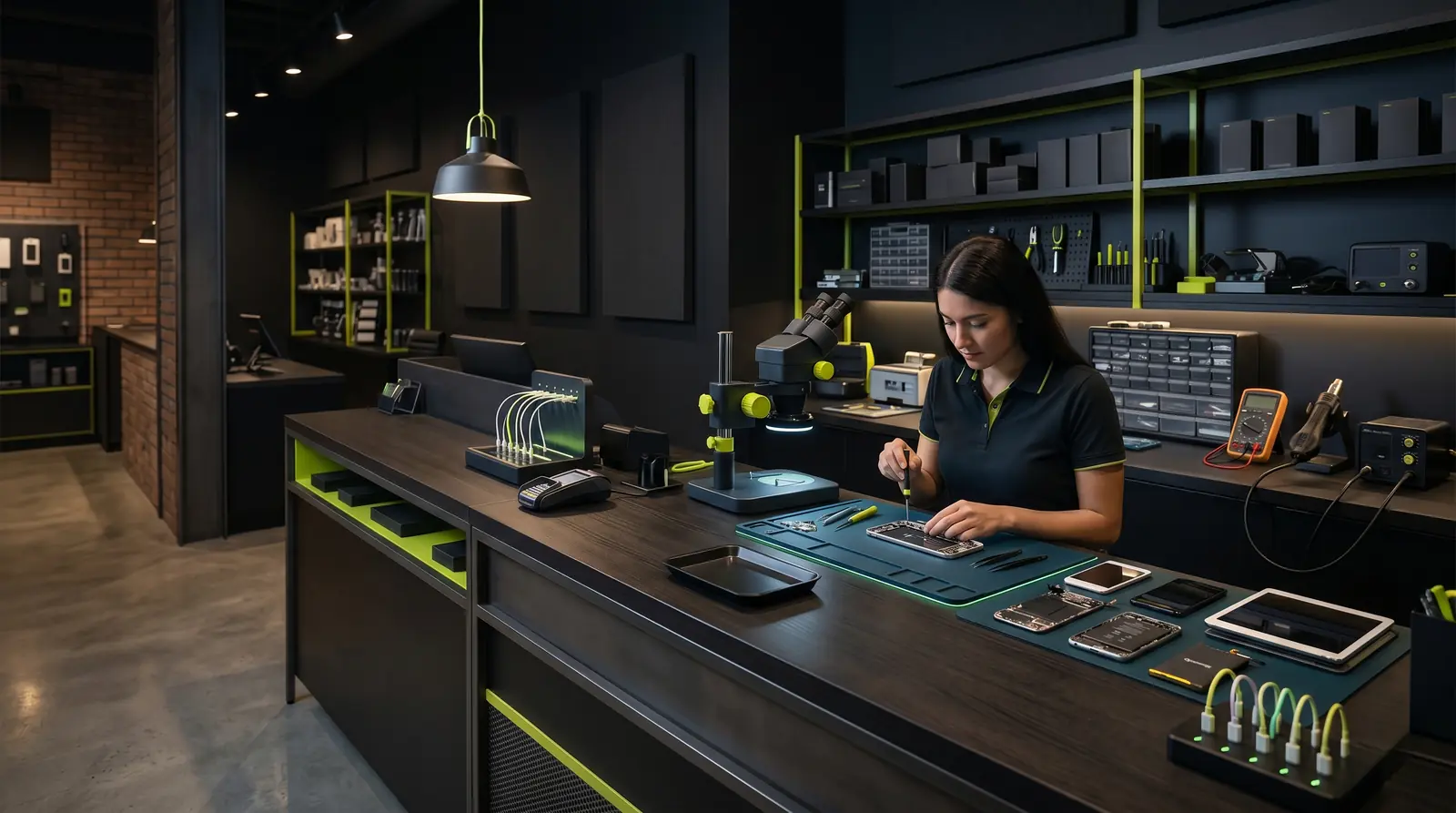
Running a repair shop for smartphones, tablets, or computers means juggling dozens of tasks every day: greeting customers, writing estimates, tracking repairs, ordering parts, invoicing, following up... When everything is done manually, mistakes pile up, customers wait too long, and revenue stagnates. Automation is no longer a luxury reserved for large businesses -- it is a necessity for any repair professional who wants to grow sustainably.
The Limits of Manual Management
Most repair shops start with simple tools: a notebook or spreadsheet to track ongoing repairs, individual text messages to update customers, invoices created manually in Word or Excel. This system works when volume is low, but it quickly hits a ceiling.
Time lost on administrative tasks
Writing each estimate by hand, copying customer details, creating invoices one by one -- a technician spends an average of 30 to 40 percent of their day on admin work. That is time taken away from actual repairs, which are the real source of revenue.
Errors and oversights
Without a centralized system, it is easy to forget to notify a customer that their device is ready, to lose a repair ticket, or to make a billing mistake. These errors damage customer trust and can have direct financial consequences, especially during tax audits.
No visibility into business performance
How many repairs were completed this month? What is the average order value? Which types of faults come up most often? Without reliable data, it is impossible to make informed decisions to grow the business.
Did you know?
According to feedback from independent repairers, a shop handling 15 to 20 devices per day can lose up to 2 hours daily on manual administrative tasks -- that is more than 40 hours per month.
What Can You Automate in a Repair Shop?
Automation does not mean replacing the technician's expertise. It means delegating repetitive, low-value tasks to software so that the team can focus on what it does best: repairing.
Repair ticket management
An automated ticketing system creates a complete tracking record for each device from the moment it is checked in. The customer receives a tracking number, the technician sees the status of every repair at a glance, and every status change (diagnosis, waiting for parts, repaired, ready for pickup) is timestamped.
The practical benefits:
- No device ever gets lost in the queue
- Customers can check repair progress without calling the shop
- The full history of every repair is preserved
- Processing times become measurable and optimizable
Spare parts inventory management
Inventory is one of the most critical areas in a repair shop. Too much stock ties up cash; too little stock delays repairs and drives customers away.
An automated system lets you:
- Track stock levels in real time, part by part
- Receive alerts when a minimum threshold is reached
- Automatically link parts used to each repair ticket
- Calculate actual margins on each repair
Invoicing and tax compliance
Manually creating invoices is both time-consuming and risky. A VAT error, a duplicate invoice number, or a non-compliant document can lead to penalties during an audit.
A management tool automatically generates invoices that comply with current regulations (mandatory fields, sequential numbering, VAT calculation). Some systems also handle estimates with automatic conversion to an invoice once the repair is complete.
Customer communication
Keeping customers informed about the progress of their repair is essential for satisfaction and retention. But manually sending a text or email at each stage is tedious.
Automated communication sends notifications at every ticket status change:
- Check-in confirmation with a tracking number
- Notification when the diagnosis is complete
- Alert when the device is ready for pickup
- Automatic reminder if the device is not collected within a certain period
The Concrete Benefits of Automation
Save time and increase productivity
By eliminating manual data entry and repetitive tasks, a shop can reduce admin time by 60 to 80 percent. That recovered time translates directly into additional repair capacity, and therefore additional revenue.
Reduce errors
An automated system does not get invoice numbers wrong, does not forget to follow up with a customer, and does not lose a ticket. Reliability increases, which strengthens customer trust and reduces disputes.
Improve the customer experience
A customer who is informed in real time about their repair status is a satisfied customer. Automated tracking, an online customer portal, and proactive notifications transform the shop's image -- from a small trade operation to a professional, structured service.
Manage your business with data
Automatically generated dashboards provide complete visibility into the business: number of repairs, revenue, average order value, fault types, average processing time. These indicators enable strategic decisions based on facts, not guesswork.
In summary
Repair shop automation covers four pillars: repair tracking (tickets), inventory management, compliant invoicing, and customer communication. Together, these four areas free up time, reduce errors, and improve the customer experience.
How to Choose the Right Management Tool
The market offers a range of solutions, from enhanced spreadsheets to specialized ERP systems. Here are the criteria to consider when making the right choice:
- Industry specialization: a tool built for repair understands the specific workflows (check-in, diagnosis, repair, handback) that generic software does not cover natively.
- Ease of use: technicians need to be able to adopt it quickly, without lengthy training. The interface must be intuitive and fast.
- Regulatory compliance: in France, the software must comply with VAT anti-fraud law requirements. In Switzerland and the UK, different rules apply.
- Built-in communication: the ability to send automated SMS or email directly from the software avoids juggling multiple tools.
- Accessibility: a cloud-based tool accessible from any device offers more flexibility than a locally installed application.
Where to Start
The transition to an automated shop does not happen overnight. Here is a step-by-step approach that works:
- Start with ticketing: it is the heart of the operation. Replacing the notebook with a digital system delivers immediate results in terms of tracking and organization.
- Add automated invoicing: once tickets are in place, generating invoices from ticket data eliminates double entry and ensures compliance.
- Integrate inventory management: linking inventory to tickets allows automatic tracking of parts used and anticipation of restocking needs.
- Enable customer notifications: the final step, automating communication closes the loop and significantly improves customer satisfaction.
Each step delivers a tangible improvement, which motivates the team to go further in the process.
Automation Taken Further: What Makes RepairMind Different
Most management software automates the basics: create a ticket, generate an invoice. RepairMind goes much further with concrete innovations designed by a repairer.
The Magic Flow: your database builds itself
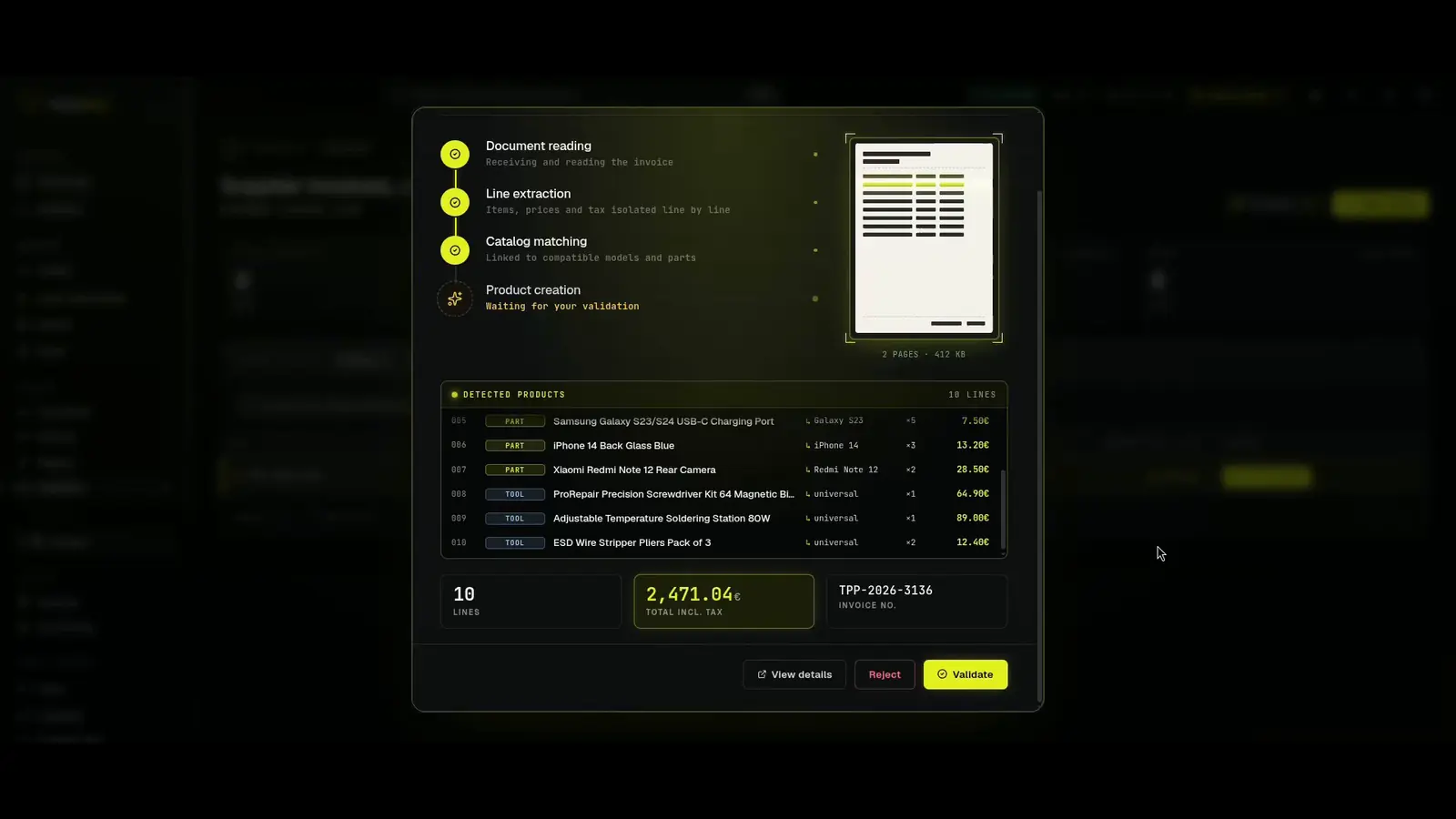
Import a supplier invoice (PDF, photo, scan) and RepairMind's AI analyses it automatically. If a device or part doesn't exist in your catalogue, the system creates it for you with its characteristics, compatibilities, and purchase price. Your database grows with every import, without any manual data entry.
- Drop the invoiceYou upload a supplier invoice (PDF, photo or scan).
- AI reads itClaude Haiku 4.5 reads the invoice and extracts every line: parts, brands, models, EAN, quantities, net prices, VAT.
- ReviewYou review and fix the extracted lines at a glance.
- ValidateOne click: supplier, products, stock and invoice are saved as a single block.
- Knowledge growsYour catalogue and the shared knowledge base enrich themselves automatically.
A shared knowledge base across all workshops
From day one, you get access to a collaborative catalogue of over 960 devices, thousands of spare parts, and hundreds of standard repairs. This knowledge base is enriched by the RepairMind repairer community. You don't start from scratch: your device, parts, and repair records are ready to go.
Built-in MCP server: AI that understands your trade
RepairMind is one of the first trade-specific ERPs to integrate an MCP (Model Context Protocol) server. In practice, this means AI agents like Claude can interact directly with your ERP: check your tickets, create clients, verify fiscal compliance, analyse your activity. This is not a superficial chatbot -- it's an AI with real-time access to your actual business data.
Open architecture, no vendor lock-in
RepairMind is built on an open Clean Architecture (Node.js, React, PostgreSQL). Each tenant has its own isolated database. Your data belongs to you, and the MCP protocol ensures native interoperability with the rapidly expanding AI ecosystem.
Ready to automate your shop?
RepairMind is an ERP built specifically for repair shops. Shared knowledge base, native AI, magic supplier import flow, and built-in MCP server: everything is designed so you can focus on repairs.
Request a demo